Mac
An icon in the menu bar, no window, no Dock icon. Nextslide notices whether PowerPoint or Keynote is running and reads the slide and its notes. This is also where you find the pairing code.
Nextslide turns your iPhone and Apple Watch into a remote for PowerPoint and Keynote on the Mac. You see your notes and the next slide and can move freely around the room. You don't need a shared Wi-Fi network for it.
Free, no account, no ads. A personal hobby project. The app itself is in German for now. What Nextslide does
Three parts, one remote
On the Mac, Nextslide sits quietly in the menu bar. You control it from your iPhone or your Apple Watch, or both at once.
An icon in the menu bar, no window, no Dock icon. Nextslide notices whether PowerPoint or Keynote is running and reads the slide and its notes. This is also where you find the pairing code.
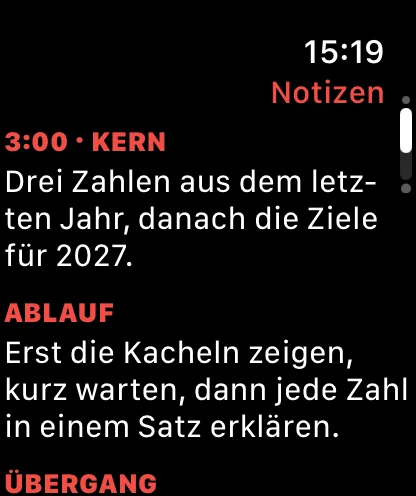
A big Next button, the current slide number, your notes and the next slide. Plus a timer, a black screen and an overview of all slides.
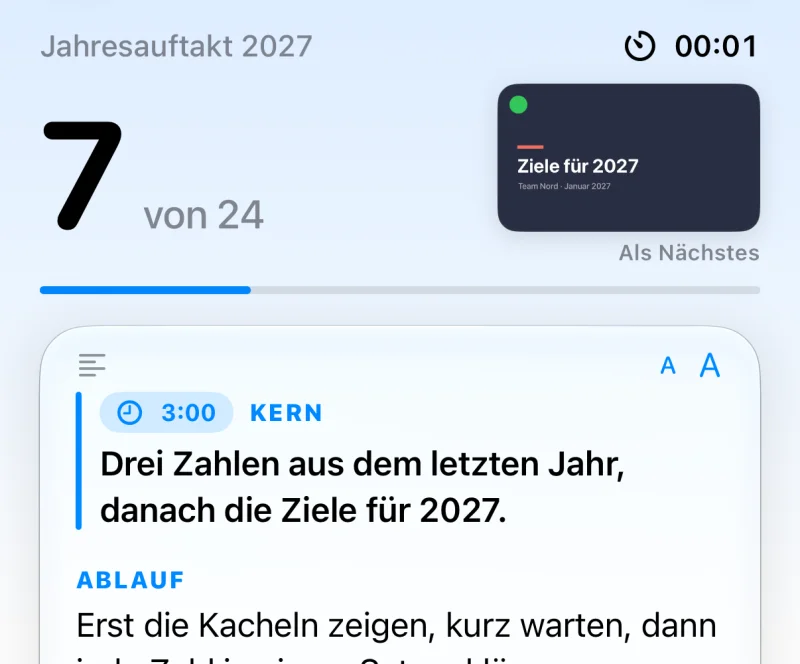
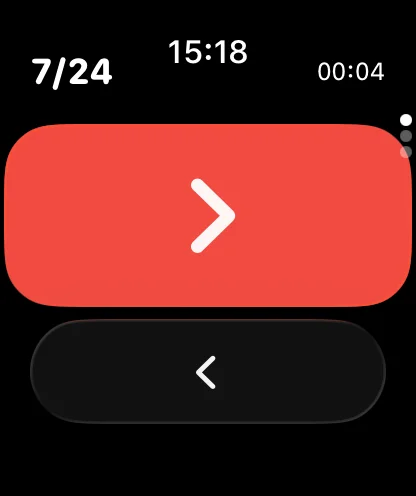
One button that fills almost the whole screen. The crown moves forward and back, a swipe shows your notes. Your iPhone can stay in your pocket.
Connection
At a conference hotel, a client’s office or a lecture hall, the guest network is often locked. Nextslide connects iPhone and Mac directly, just like AirDrop. If that fails, Bluetooth takes over.
The iPhone finds the Mac on its own. You enter the four-digit code from the menu bar. The Watch gets the pairing from the iPhone.
Nextslide keeps Wi-Fi and Bluetooth open side by side. If one connection drops, the other carries on.
Without the code, the Mac ignores every command. Nothing goes through a server or the internet.
Speaker notes
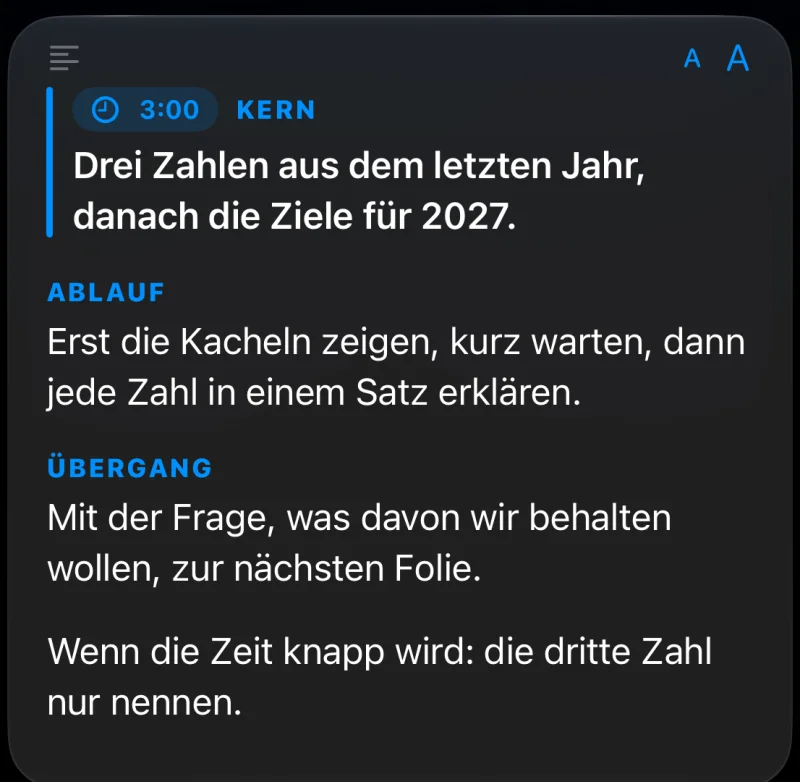
Nextslide takes the notes of the current slide from PowerPoint or Keynote and shows them large and structured on your iPhone. Two buttons make the text bigger or smaller.
Start a line with a keyword in capitals and a colon, such as FLOW: or TRANSITION:, and it becomes a heading. A time mark like [3:00] shows up as a small clock. A line starting with KERN: (German for “core”) gets extra emphasis.
[3:00] KERN: Three numbers from last year.
FLOW: Show the tiles first, then explain.
TRANSITION: Lead into the next slide with a question.
Preview and jump
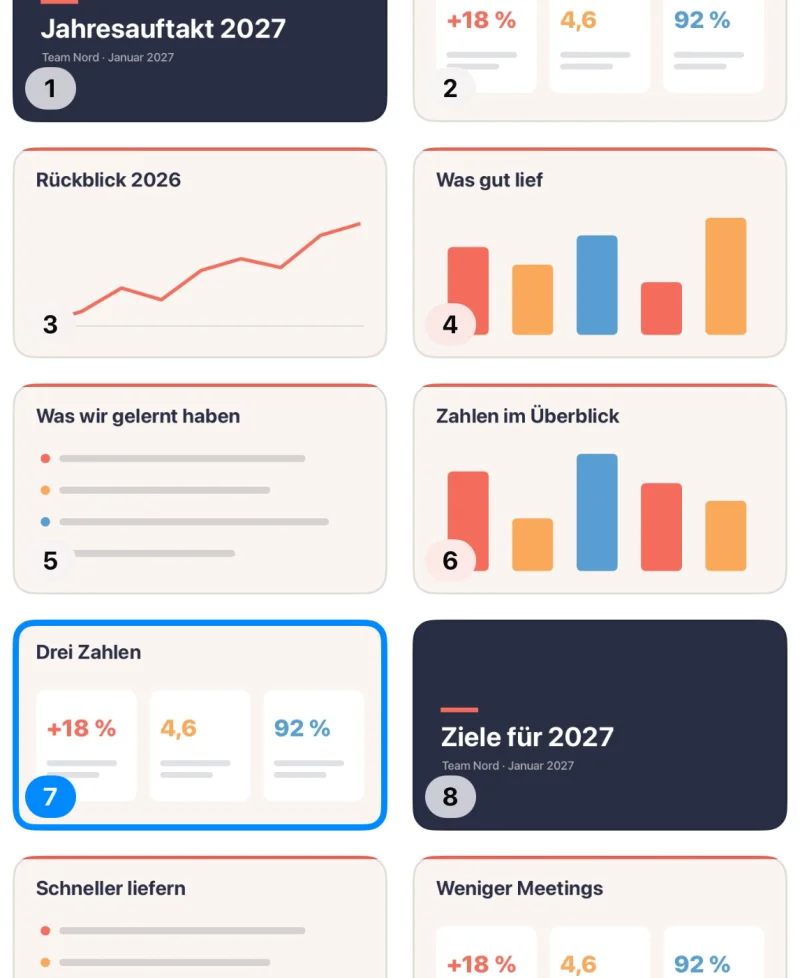
In the top right corner, Nextslide shows a small picture of the next slide. So you can lead into it before your audience sees it.
Apple Watch
On the Watch, a tap on the big button or a turn of the crown is enough. A short tap on your wrist confirms every change.
It starts with the presentation and keeps running even if the connection drops for a moment. Pause and reset whenever you like.
One tap blacks out the screen in PowerPoint, so everyone looks at you. The next tap brings the slide back.
Swipe up, and the notes for the current slide appear on the Watch, with the same headings as on the iPhone.
The Watch connects to the Mac over Bluetooth by itself. If the iPhone is nearby, it relays commands when needed.
Nextslide on film
Away from the lectern, connected without Wi-Fi, notes and next slide in view. With narration and music; you can turn on subtitles.
Setup
After that, Nextslide connects by itself as soon as you open the app on your iPhone.
1. Open the Mac appNextslide appears as an icon in the menu bar. The first time, macOS asks whether the app may control PowerPoint and Keynote; you allow it.
2. Enter the pairing codeOpen Nextslide on your iPhone. It finds the Mac by itself; if there are several, tap yours. Then type the four digits from the menu. The Apple Watch takes over the pairing from the iPhone.
With the download version, Nextslide jumps straight to the chosen slide in PowerPoint from the slide overview. For that, you allow it once under System Settings › Privacy & Security › Accessibility. Without this permission, it pages there slide by slide.
Two Mac versions
Both are free and built from the same code. The download version can do more, because it gets permissions that Apple doesn’t allow in the Mac App Store. The iPhone and Watch apps are the same for both.
| Feature | Download for Macfrom this website, notarized by Apple | Mac App Storethrough Apple |
|---|---|---|
| Next, back, start, end | yes | yes |
| Notes, timer, black screen | yes | yes |
| Apple Watch | yes | yes |
| Preview of the next slide | yes | no |
| Slide overview | with thumbnails | with slide numbers |
| Jump straight to a slide (PowerPoint) | yes, after a one-time permission | pages slide by slide |
| Get it | Download for Mac (soon) | Soon on the Mac App Store |
No account, no analytics, no server. Slides, notes and thumbnails only travel between your Mac, your iPhone and your Watch.
Fact sheet
Nextslide is almost ready. The iPhone app with its Watch app comes to the App Store for free; the Mac app will be available as a download here and on the Mac App Store. The links will appear here as soon as they’re live.
macOS 26 or later, with PowerPoint or Keynote
iOS 26 or later, Watch app included
Questions or feedback? Write to hello@cozysoft.me.
Personal, non-commercial
I, Frank Weigand, build Nextslide as a private person in my spare time, because I give a lot of talks myself. The app is free; there are no ads, no subscriptions and no in-app purchases.
Nextslide is an independent project and is not affiliated with Microsoft or Apple. PowerPoint is a trademark of Microsoft; Keynote, Mac, iPhone and Apple Watch are trademarks of Apple.